Home Wi-Fi Tail Latency Is Breaking Live Streaming Analytics
Wi-Fi has spent years chasing throughput and device density, but live streaming fails on tail latency. A few bad milliseconds at home can do more damage than a mediocre average connection.
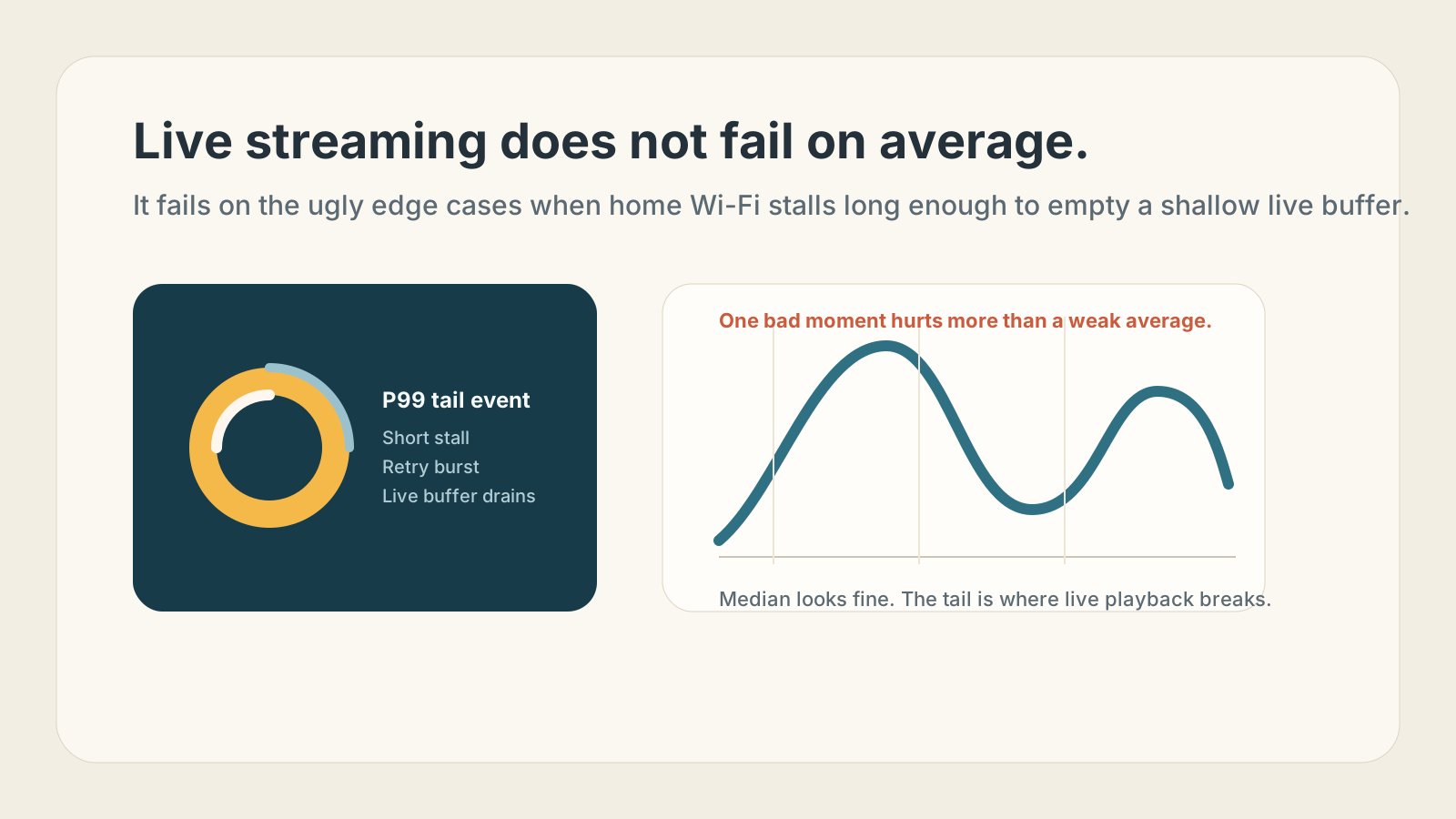
Home Wi-Fi usually gets judged by the wrong graph.
Consumers see throughput. Vendors sell throughput. Support teams ask for a speed test. But live streaming does not fail on average bandwidth nearly as often as it fails on tail latency: the bad 1 percent of moments when the home network stalls, retries, or drops just enough packets to empty a shallow live buffer.
That is why a household can measure hundreds of megabits per second and still have a miserable live sports experience. Live video is a timing problem, not just a capacity problem.
Why Live Breaks So Easily
VOD players can hide network sins with deeper buffering. Live players cannot. They run close to the edge on purpose so they can stay near real time.
When Wi-Fi injects a short burst of contention, retransmissions, or interference, the sequence is simple:
- A segment or chunk arrives late.
- The player burns through its small live buffer.
- ABR logic reacts, but often too late.
- The user sees a rebuffer, sync drift, or a sharp quality drop.
For a large analytics platform, these episodes show up as outlier segment fetches, retry clusters, elevated rebuffer rates, and odd device-specific instability. The tricky part is that the CDN, origin, and ISP can all look healthy at the same time. The failure happened in the last few meters, inside the home.
Why Average Metrics Miss It
Home Wi-Fi is a shared, half-duplex medium in an unmanaged environment. That makes P99 behavior ugly even when median behavior looks fine.
The main culprits are familiar:
- airtime contention from many active devices
- retransmissions caused by weak signal or interference
- mesh backhaul consuming more wireless airtime
- bufferbloat in gateways and routers
- roaming and band-steering decisions that arrive at the wrong moment
None of those necessarily destroy average throughput. They mostly inject variance, and variance is exactly what live streaming is least able to absorb.
A Short History of Wi-Fi and Tail Latency
The interesting part of recent Wi-Fi history is that the standards did add features that can help latency, but the consumer market kept prioritizing peak rates, wider channels, and more devices.
On September 16, 2019, the Wi-Fi Alliance launched Wi-Fi CERTIFIED 6. Wi-Fi 6 brought OFDMA and scheduling-oriented improvements that were meant to make dense networks more efficient, not just faster. Cisco's 802.11ax white paper notes that Target Wake Time can reduce contention and enable more deterministic uplink scheduling, while OFDMA limits the damage any one device does to the whole channel. In other words, Wi-Fi 6 did contain tools that could help tail latency if they were implemented and tuned well.
On April 23, 2020, the FCC opened 1,200 MHz of 6 GHz spectrum for unlicensed use in the United States, enabling Wi-Fi 6E. That was a major practical improvement for latency because it added far more clean spectrum and many more wide channels. LitePoint's Wi-Fi 6E guide summarizes the upside clearly: 59 new 20 MHz channels, 14 new 80 MHz channels, and 7 new 160 MHz channels in the U.S. More importantly, 6 GHz starts as a cleaner band without legacy 802.11 baggage, which can reduce contention and latency variance when devices are actually using it.
On January 8, 2024, the Wi-Fi Alliance introduced Wi-Fi CERTIFIED 7. Its headline additions included Multi-Link Operation, 320 MHz channels, multiple resource units, triggered uplink improvements, and better reliability features. Wi-Fi Alliance explicitly positioned Wi-Fi 7 around higher throughput, lower latency, and greater reliability for critical traffic. Multi-Link Operation is the most interesting part for tail latency because it can let traffic move across multiple links instead of waiting behind congestion on one.
So the standards story is not that Wi-Fi ignored latency completely. It is that the ecosystem rarely optimized around live-media P99 outcomes as the primary goal.
What Can Help Tail Latency
- OFDMA can reduce contention by dividing airtime more efficiently across users.
- Target Wake Time can reduce scheduling uncertainty in controlled environments.
- 6 GHz can help simply by being cleaner and less crowded than 2.4 GHz and much of 5 GHz.
- Multi-Link Operation in Wi-Fi 7 can reduce waits on a single congested link and improve reliability.
- Narrower, cleaner channels often beat oversized channels in noisy homes because they reduce overlap and interference exposure.
What Can Make It Worse
- Very wide channels, especially 160 MHz and 320 MHz, can backfire in noisy environments because more spectrum means more chances that part of the channel is impaired.
- Wireless mesh backhaul can amplify contention because every hop consumes more airtime.
- Mixed client populations still matter; legacy and badly behaving devices can drag down the network around them.
- "Smart" band steering and roaming can create short disruptions that are invisible in average metrics but obvious in live playback.
- Consumer gear is often configured to maximize coverage and marketing speed claims, not to minimize P99 latency under load.
That last point matters. A home network can be configured in a way that looks excellent in a sales sheet and still behaves terribly during a live event.
Why It Is Hard to Troubleshoot and Rarely Fixed
Nobody owns the whole path.
The streaming service sees player telemetry. The CDN sees request timing. The ISP sees the broadband link to the gateway. The router vendor may see some local telemetry if the user is inside its app. The user just sees freezing video.
That fragmentation is why the problem rarely gets a real fix. Support flows are built around average-case checks: run a speed test, reboot the router, move closer, maybe change bands. Those are not useless, but they are poor instruments for catching transient tail events during the exact contention pattern that broke the stream.
So the blame usually lands in the wrong place:
- "the app is buggy"
- "the CDN had an issue"
- "my internet is slow tonight"
Sometimes the real answer is simpler: the home Wi-Fi network had a bad 500-millisecond moment, and live streaming had no room to forgive it.
The Right Mental Model
For live streaming, the real enemy is not low average bandwidth. It is variance.
If streaming analytics teams want a more accurate picture of viewer pain, they should focus less on throughput as a proxy for quality and more on high-percentile request timing, retry bursts, and signs of in-home wireless instability. The Wi-Fi standards have added useful tools over time, especially in Wi-Fi 6, 6E, and 7. But until the ecosystem consistently optimizes for P99 behavior instead of brochure throughput, home Wi-Fi will keep quietly sabotaging live experiences.